 Formula 1 Dashboard


Formula 1 returns to Florida for the 2026 Miami Grand Prix! Set around the iconic Hard Rock Stadium, this track is famous for its punishing heat, tight walls, and unpredictable safety cars. To truly understand the flow of the race, you need more than just the TV broadcast.
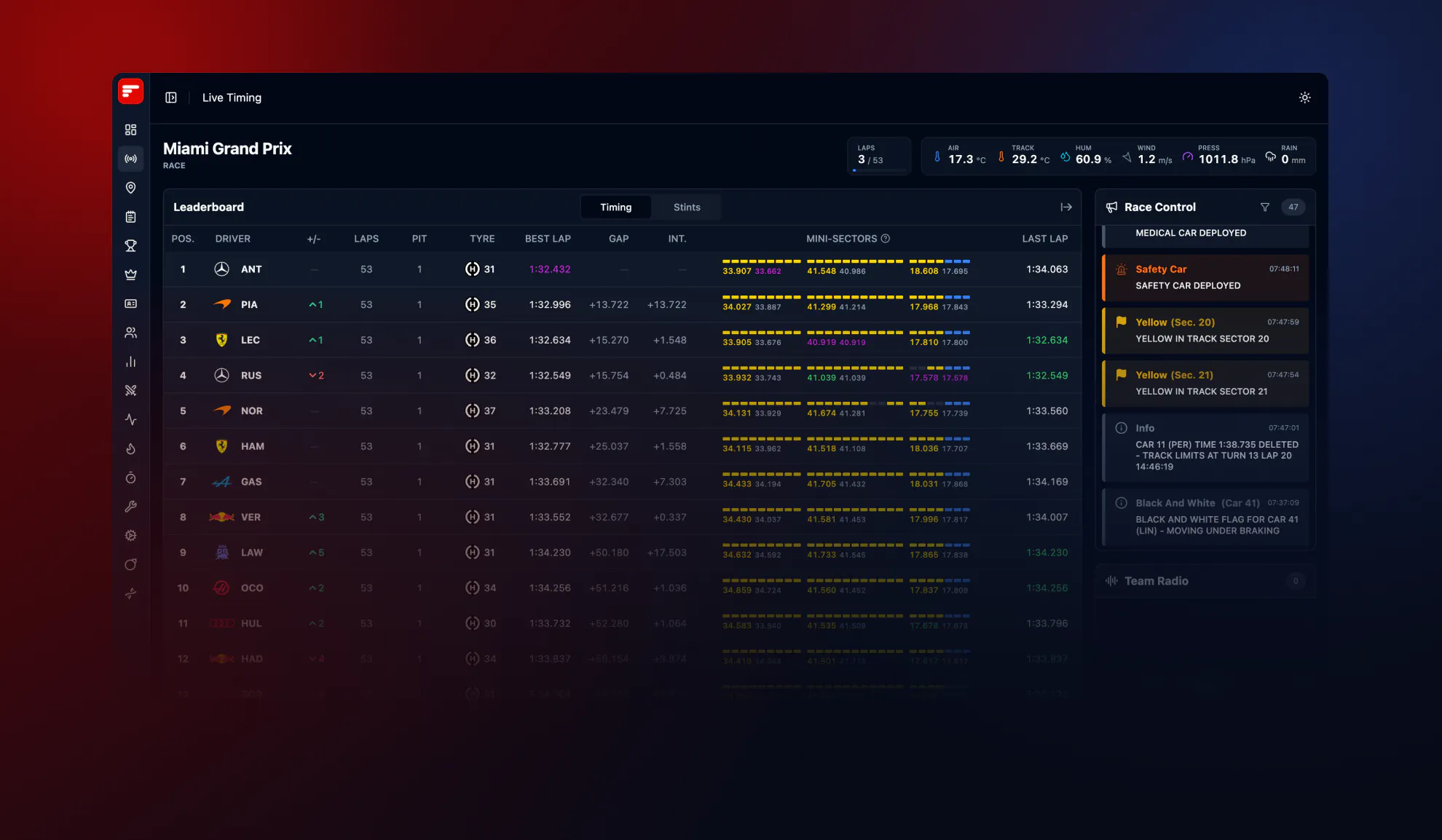
Follow every strategic move, every radio call, and every sector time exactly as it happens on your screen with the Formula1Dashboard Live Timing app.
Why You Need a Second Screen for the Miami GP
The Miami International Autodrome is a track of two halves: massive high-speed straights and a notoriously tight, twisty chicane section (Turns 14-15) where the walls are unforgiving. Here is how our free dashboard helps you decode the race:
1. The Game-Changer: Spoiler-Free Broadcast Sync
Watching on F1TV, Sky Sports, Canal+, or ESPN? TV broadcasts are always delayed by a few seconds. The biggest frustration with official apps is that the live timing spoils the on-screen action. Our dashboard features a built-in Broadcast Sync tool: simply adjust the delay slider to match your TV feed perfectly. Get real-time data without the spoilers.
2. Surviving the Florida Heat: Live Tyre Strategy
Track temperatures in Miami can skyrocket, leading to massive thermal degradation. While the TV feed only shows tyres occasionally, our dashboard gives you the complete picture:
- Real-Time Compounds: See instantly who is on Softs, Mediums, or Hards.
- Stint History & Tyre Age: Track exactly how many laps a driver has completed on their current set. Watch for the undercut strategy when the medium tyres start to drop off in the Florida heat.
3. The 2026 Manual Override: Live Gaps & Intervals
With the 2026 regulations replacing traditional DRS with Active Aero and the new Manual Override system, tracking the exact gap between cars is more crucial than ever. Miami’s long straights are prime territory for electrical boost overtakes.
- Interval to Driver Ahead: Don't wait for the TV graphic. Monitor the live interval (down to the thousandth of a second) to predict who is close enough to deploy their Manual Override to attack.
- Mini-Sectors & Fastest Laps: See exactly where a driver is gaining time. Are they maximizing their low-drag "X-Mode" in the fast Sector 1, or losing mechanical grip under the Turnpike in Sector 2?
4. High Risk of Incidents: Live Race Control & Team Radios
With concrete walls incredibly close to the track, virtual safety cars (VSC) and red flags are highly likely in Miami.
- Real-Time Race Control Filters: Get instant, unfiltered FIA messages. Filter by stewards' investigations, track status, and yellow flags before the commentators even notice them.
- Live Team Radio: Listen in on the crucial strategic conversations between the pit wall and the drivers when chaos strikes.
5. Tropical Weather Tracking
Miami weather can turn from blinding sunshine to a tropical downpour in minutes. Keep an eye on our Real-Time Weather tracker to anticipate sudden changes in track conditions and tyre strategy.
2026 Miami GP Weekend Schedule
Make sure to have your dashboard ready. Connect a few minutes before the session starts to see the live leaderboard and tracking systems initialize.
- Friday, May 1: Free Practice 1 & 2
- Saturday, May 2: Free Practice 3 & Qualifying
- Sunday, May 3: The Miami Grand Prix (57 Laps)
Don't miss a single data point this weekend. Ditch the refreshing pages, sync your data with your broadcast, and follow the true race pace.